
Log Recording






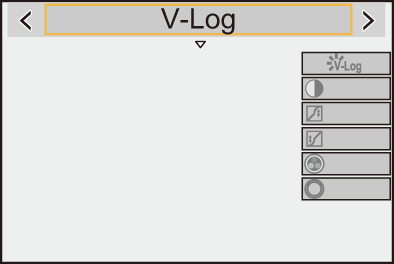
Setting [Photo Style] to [V-Log] enables Log recording.
Images finished with rich gradation can be created through post-production processing.

 [
[ ]/[
]/[ ] [
] [ ] [Photo Style] Select [V-Log]
|
You can download the LUT file for [V-Log] from the following support site: https://panasonic.jp/support/global/cs/dsc/download/index3.html (English only) |

 ISO Sensitivity When [V-Log] Is Set
ISO sensitivity can be set in the range between [500] and [12800] (Sensor output 60 fps or lower) or between [250] and [3200] (Sensor output 61 fps or higher). You can set between [125] and [12800] when [Extended ISO] is set.
Exposure When [V-Log] Is Set
The [V-Log] curve characteristics comply with “V-Log/V-Gamut REFERENCE MANUAL Rev.1.0”. When set to [V-Log], the standard exposure when gray with a reflectance ratio of 18 % is imaged is IRE 42 %.
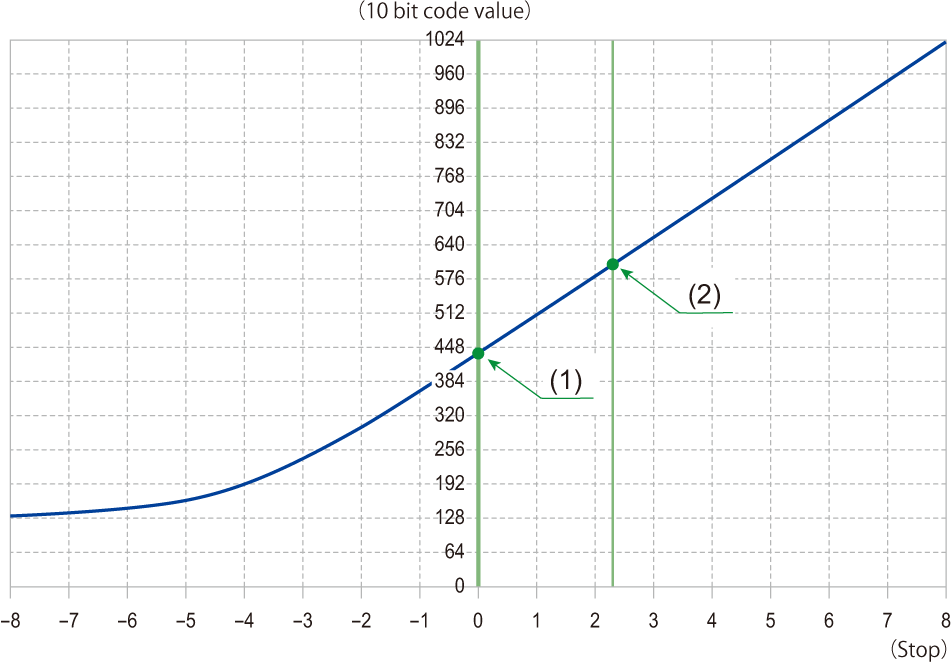
 When luminance is to be displayed by “Stop” units, this camera calculates IRE 42 % to “0 Stop”.
|
|

[Log View Assist]
When [Photo Style] is set to [V-Log], the recording screen will darken. Using [Log View Assist] means you can show images with LUT file applied on the monitor/viewfinder or smartphone.
[ ] [
] [ ] Select [Log View Assist]
[LUT Select(V-Log)]
Selects the LUT file to apply from a preset or LUT files registered in [LUT Library]. ( [LUT Library])
[LUT View Assist (Monitor)]
Displays the images with LUT file applied on the monitor/viewfinder of the camera.
[LUT View Assist (App)]
You can view images with LUT files applied with the smartphone applications “LUMIX Lab”.
|
|
