
Wi-Fi/Bluetooth Connections and Settings
This chapter describes connections and settings using Wi-Fi® and Bluetooth®.
 Connecting to a Bluetooth device
 Checking operation of the Wi-Fi and Bluetooth functions
|
Light (blue) |
Monitor |
Operation |
|
Lit |
|
The Wi-Fi function is set, or there is a connection. |
|
|
The Bluetooth function is set, or there is a connection. |
|
|
Blinking |
|
When image data is sent using a camera operation. |


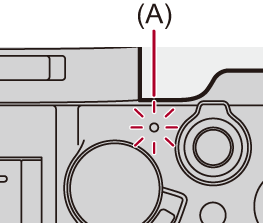
(A) Network connection light
|
(A message such as [Communication error] is displayed.)
If the connection is terminated while sending images, images with missing parts may be sent.
|

 Do not remove the card or battery or move to an area without any reception while sending images.
