
Recording with Zoom
Use the zoom lever or the control ring to zoom to telephoto or wide-angle.
Using the zoom lever
Turn the zoom lever
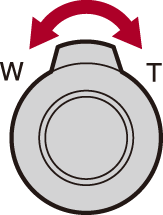
[T] side: Telephoto
[W] side: Wide-angle
Using the control ring (during AF only)
Rotate the control ring
-
You can perform zoom operation by assigning the [Zoom] or [Step Zoom] setting to the control ring. (
 [Control Ring Setting During AF])
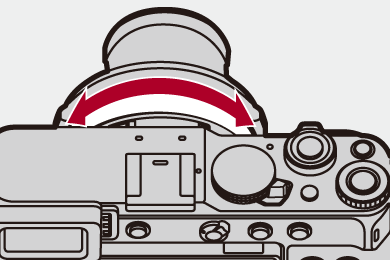
Clockwise: Telephoto
Counterclockwise: Wide-angle
 The focal length (as with a 35 mm film camera) is displayed on the recording screen.

|
|


[Crop Zoom(Photo)]





Cut out the central section of the image to get an enhanced telescopic effect without image quality deterioration.
-
Set to [
 ] mode.
-
Set [Crop Zoom(Photo)].

 [
[ ] [
] [ ] [Crop Zoom(Photo)]
 Using [Crop Zoom(Photo)]
-
Set [Crop Zoom(Photo)] to [ON].
 [] [] [Crop Zoom(Photo)] [ON]
-
Turn
 to perform the zoom operation.
When [Touch Tab] is set to [ON], you can enlarge/reduce with Touch Zoom.
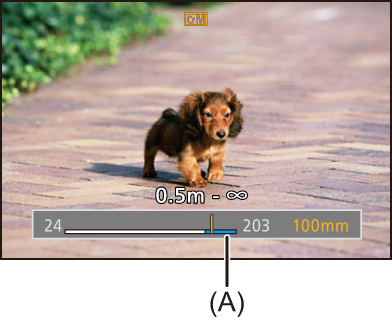
(A) Crop zoom range
|
– [RAW] ([Rec. File Format(Photo)]) – [Multiple Exposure] |

[Crop Zoom(Video)]



Cut out the central section of the image to get an enhanced telescopic effect without image quality deterioration.
-
Set to [
 ] or [S&Q] mode.
-
Set [Crop Zoom(Video)].
[ ] [
] [ ] [Crop Zoom(Video)]
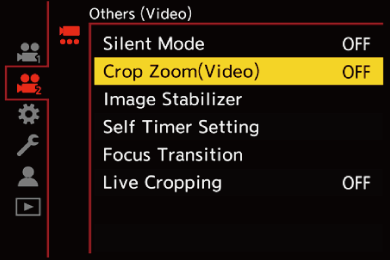
Using [Crop Zoom(Video)]
-
Set [Crop Zoom(Video)] to [ON].
[] [] [Crop Zoom(Video)] [ON]
-
Turn
to perform the zoom operation.
When [Touch Tab] is set to [ON], you can enlarge/reduce with Touch Zoom.
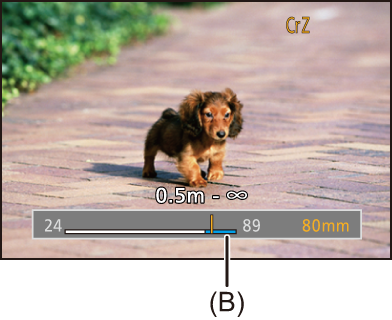
(B) Crop zoom range
[Rec Quality] and Crop Zoom Rate
|
– [S&Q] video with a [Slow & Quick Setting] frame rate exceeding 30 fps – [Live Cropping]
|