
What you can do with this unit

Recording to the memory card
Recording in following types is possible.
 (For the
  )
)
P2 recording (P2 MXF compatible)
MOV recording (UHD and FHD recording)
MP4 recording (UHD and FHD recording)
AVCHD recording
Super slow recording
Simultaneous recording
Relay recording
Interval recording
Background recording
Pre-recording
Linking to external devices
 Connecting to TV/monitor
Connect to a TV/monitor and output images.
Use a BNC cable (<SDI OUT> terminal) to connect a TV/monitor.
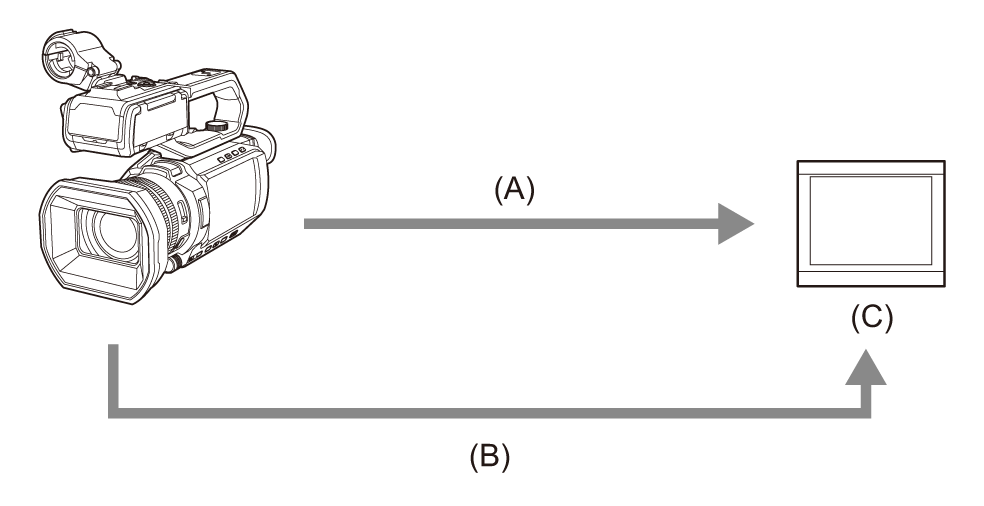
(A) HDMI cable
(B) BNC cable (<SDI OUT> terminal)
(C) TV/Monitor
Use a Premium High Speed HDMI cable (Type A–Type A plug).
It is recommended to use a double shielded BNC cable equivalent to 5C-FB.
|
When using a DVI converter, etc., to connect an HDMI cable to this unit, make sure that you connect last to the <HDMI> terminal on this unit. Connecting first to the <HDMI> terminal on this unit may cause a malfunction. |
Card reader mode
Data (files) for performing nonlinear editing on a computer are transferred.
The unit supports USB2.0.
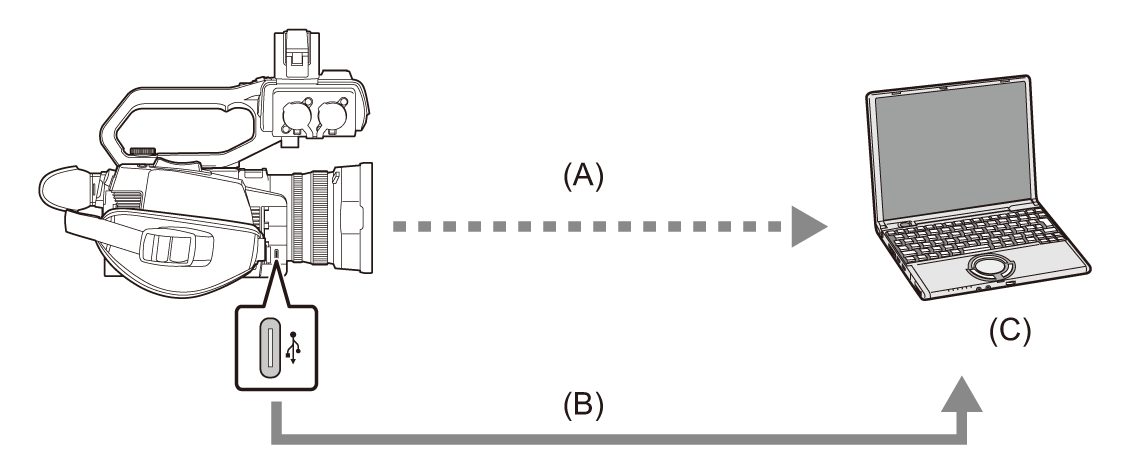
(A) Memory card 1
1
(B) USB cable2
(C) Computer
-
Memory cards are optionally available. They are not supplied with the unit.
-
A USB cable is not supplied with the unit.
Use a USB cable conforming to the USB specification that is 1.5 m (approx. 4.9 feet) or less in length.
Connecting to the network
This unit is equipped with wireless LAN. It can connect to networks via wireless LAN.
When using wired LAN, connect a USB ethernet adaptor (commercially available) to this unit, then connect a LAN cable.
Available functions
When the unit is connected to a network, the following functions are available.
Connecting to HC ROP app
You can remotely control this unit with the HC ROP app by connecting this unit with an iPhone/iPad or Android terminal via network.
Checking camera video or camera status
Camera remote control (focus, zoom, image quality settings, recording control such as start/end recording, and time code/user bits settings)
Menu Operations
Starting and stopping streaming (when the function is assigned to the USER button)
The unit supports the multi camera function, with which a camera selected from up to 8 cameras is remotely controlled from a single device.
For details about operation of the HC ROP app, refer to the online help for the app.
Streaming function
You can perform streaming of audio and video currently shot with the unit over a network (wired LAN, wireless LAN).
NDI HX2 function
By connecting this unit and an NDI HX2 compatible switcher from Vizrt NDI AB to a network via wired LAN, you can control some of the functions on this unit by operating the switcher.
USB tethering connection
Connect a USB tethering device (iPhone/iPad or Android device) to the USB terminal of the camera using the USB cable to connect the camera to the Internet using USB tethering function.
|
|