
HLG Videos





Record videos with the wide dynamic range of the HLG format. You can record in very bright light where overexposure can occur or in dark areas where underexposure can occur, maintaining the rich yet subtle colors you can see with your naked eye.
Recorded videos can be played back on devices (TV, etc.) that support HLG format for viewing.
 HLG (Hybrid Log Gamma) is a tone curve (gamma curve) format for HDR images.
-
Set to [
 ] or [S&Q] mode.
-
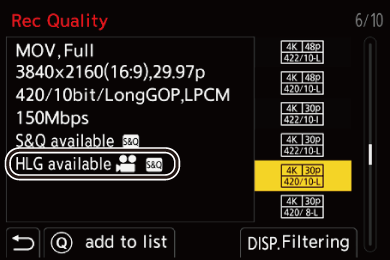
Select a recording quality with which you can record HLG video.


 [
[ ] [
] [ ] [Rec Quality]
Items available for recording with HLG video are indicated as [HLG available].
Recording qualities with which you can record HLG video ( List of Recording Qualities That Enable Special Videos to be Recorded)
-
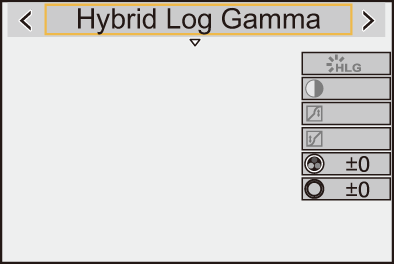
Set [Photo Style] to [Hybrid Log Gamma].
[] [ ] [Photo Style] [Hybrid Log Gamma]
|
With [Monitor] in [HLG View Assist] in the [Custom] ([Monitor / Display (Video)]) menu, you can display the images converted for monitoring on the monitor/viewfinder of this camera. ( |

 ISO Sensitivity When [Hybrid Log Gamma] Is Set
The lower limit of available ISO sensitivities will become [250].
[HLG View Assist]
At recording or playback of HLG video, this displays images with converted color gamut and brightness on the camera monitor/viewfinder.
[ ] [
] [ ] [HLG View Assist] Select [Monitor]
[MODE1]
Converts with an emphasis on bright areas such as sky.
[MODE1] is displayed on the recording screen.
[MODE2]
Converts with an emphasis on the brightness of a main subject.
[MODE2] is displayed on the recording screen.
[OFF]
Displays without converting color gamut and brightness.
HLG images appear darker on devices that do not support the HLG format.