
Selecting the Drive Mode





You can switch the drive mode to Single, Burst, etc. to match the recording conditions.
-
Set to [
 ] mode.
-
Press [
 ] (
] ( ).
).
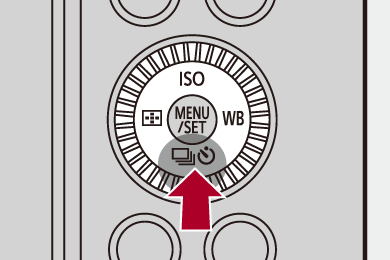
-
Select a drive mode.
 Press
Press 
 to select an item and then press
  .
.
You can also select by rotating  .
.
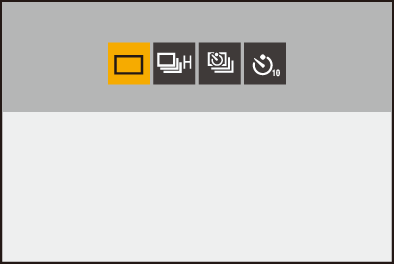
[ ] (Single)
Takes one picture each time the shutter button is pressed.
[ ] (Burst) (
 Taking Burst Pictures)
Takes pictures continuously while the shutter button is pressed and held.
[ ] (Time Lapse Shot/Stop Motion Animation) (Recording with Time Lapse Shot, Recording with Stop Motion Animation)
Takes pictures with Time Lapse Shot or Stop Motion Animation.
[ ] (Self-timer) (Recording Using the Self-timer)
Takes pictures when the set time elapses after the shutter button is pressed.
|
[ |

 The detailed setting screens for each drive mode can be called up with an Fn button:
 ]
] 
 ]
]