
Standard Accessories

Check that all the accessories are supplied before using the camera.
 The accessories and their shape will differ depending on the country or area where the camera was purchased.
For details on the accessories, refer to “Operating Instructions / Owner’s Manual <Quick Start Guide>” (supplied).
|
(This is referred to as battery pack or battery in this document.)
|

-
This is attached to the camera at the time of purchase.
-
This is supplied with -N models.
The memory card is optional (commercially available).
Consult the dealer or Panasonic if you lose the supplied accessories. (You can purchase the accessories separately.)
Attaching the Auto Lens Cap
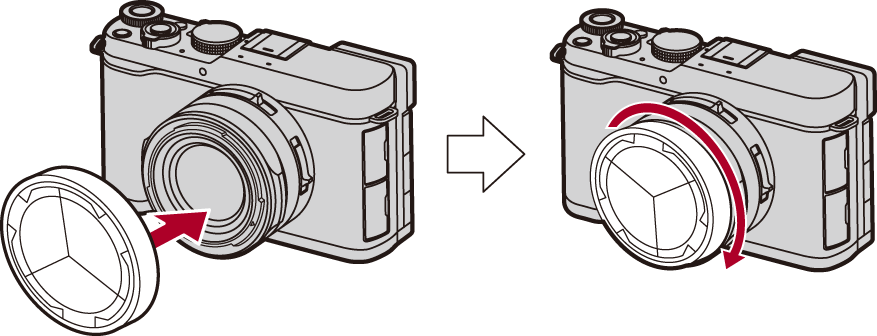
When you use the auto lens cap supplied with the -N model, you can record without detaching the auto lens cap from the camera.
-
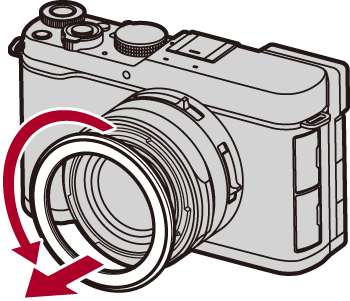
Remove the lens front ring.
Be careful not to lose the lens front ring.
-
Rotate the auto lens cap in the direction of the arrow until it clicks into place.
|
|
