
Displaying the marker
 Displaying the center marker
A center marker can be displayed.
-
Select the type of the center marker in the [VIDEO OUT/LCD/VF]/[VIDEO OUT/LCD] menu
 [MARKER] [CENTER MARKER].
|
[1] |
[2] |
|
|
|
|
|
|
[3] |
[4] |
|
|
|
|
|


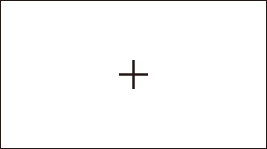

 The center marker is not displayed when [OFF] is selected.
Displaying the safety zone marker
A safety zone marker can be displayed.
-
Select the type of the frame in the [VIDEO OUT/LCD/VF]/[VIDEO OUT/LCD] menu
[MARKER] [SAFETY MARKER].
|
[1] |
[2] |
|
|
|
|
|


The safety zone marker is not displayed when [OFF] is selected.
Displaying frame marker
A frame marker can be displayed.
-
Select the angle of the view in the [VIDEO OUT/LCD/VF]/[VIDEO OUT/LCD] menu
[MARKER] [FRAME MARKER].
|
[4:3] |
[13:9] |
[14:9] |
|
|
|
|
|
[16:9] |
[17:9] |
[1.85:1] |
|
|
|
|
|
[2.35:1] |
|
|
|
|
|
|

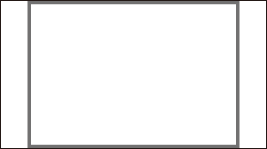
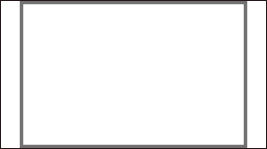



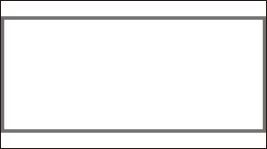
The frame marker is not displayed when [OFF] is selected.
|
|
Displaying the guidelines
Guidelines can be displayed.
The guidelines do not appear on the images actually recorded.
-
Select the type of the guidelines in the [VIDEO OUT/LCD/VF]/[VIDEO OUT/LCD] menu
[MARKER] [GUIDE LINES].
|
[HORIZONTAL] |
[GRID1] |
[GRID2] |
|
|
|
|
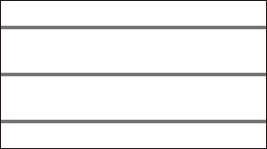
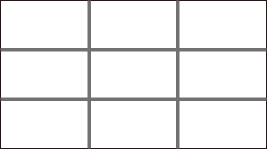

The guidelines are not displayed when [OFF] is selected.
You can switch the guide line display by pressing the USER button assigned to [GUIDE LINES] or touching the USER button icon.
|
– While menus are being displayed – While focus assist is operating |