
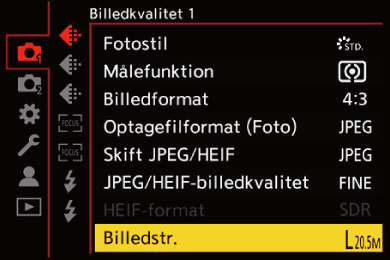
[Billedstr.]





Indstiller billedets billedstørrelse.
-
Indstil til [
 ]-tilstand.

-
Indstil [Billedstr.].


 [
[ ] [
] [ ] [Billedstr.]
|
[Billedformat] |
[Billedstr.] |
|
|
[4:3] |
[L] (20,5M) |
5200×3904 |
|
[M] (10,5M) |
3744×2808 |
|
|
[S] (5M) |
2624×1968 |
|
|
[XS] (3M) |
1920×1440 |
|
|
[3:2] |
[L] (19,5M) |
5408×3608 |
|
[M] (10M) |
3888×2592 |
|
|
[S] (5M) |
2736×1824 |
|
|
[XS] (2,5M) |
1920×1280 |
|
|
[16:9] |
[L] (18M) |
5664×3192 |
|
[M] (9,5M) |
4096×2304 |
|
|
[S] (4,5M) |
2832×1592 |
|
|
[XS] (2M) |
1920×1080 |
|
|
[1:1] |
[L] (15M) |
3904×3904 |
|
[M] (8M) |
2816×2816 |
|
|
[S] (4M) |
1968×1968 |
|
|
[XS] (2M) |
1440×1440 |
|
 Når [Beskæringszoom(foto)] er indstillet, vises [Cr] på billedstørrelsen.
|
– [RAW] ([Optagefilformat (Foto)]) – [Multi-eksponering] |
