
Taking Close-up Pictures





This mode allows you to take close-up pictures of a subject, e.g. when taking pictures of flowers.
Switch the focus selector switch to [AF ].
].
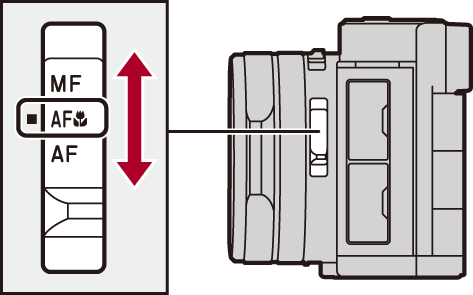
 You can take pictures of a subject as close as 3 cm (0.098 feet) from the lens when the zoom is set to the wide end.
The focus range is displayed when you operate the zoom, for example. ( Focus range)
|
– A picture may be out of focus when the subject is out of focus range, even if the focus display is lit. – Using a tripod and [Self Timer] is recommended. – We recommend not using the flash. – The effective focus range is significantly narrowed. Therefore, if the distance between the camera and the subject is changed after focusing on the subject, it may become difficult to focus on it again. – Resolution may be slightly reduced around the edges of the picture. This is not a malfunction. |
